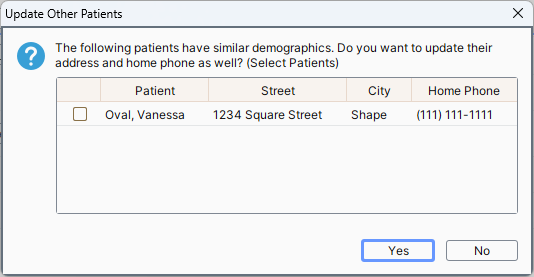
When more than one patient is listed at the same address, if the user updates one patient at the address then a window is displayed showing other patients listed at the same address asking if they are to be updated too. Users can select one or more patients listed, as required.
Note: If the Update Other Patients window is not displayed either no other patients live at that address or Check for Other Patients When Changing Address checkbox is not selected.
A system setting is available to allow users to disable the random chart number icon (dice icon). This is available because overriding and creating a random chart number can be done with one click of this icon and this is not an ideal scenario for some clients.
To disable the random chart number icon follow the procedure below:
Note: The random chart number icon can be found by selecting the Patients icon > click the Demographics tab > click the Dice icon (to the right of the File Number field).