Exception Forms
Exception Forms vary from Province to Province. If available, they can be downloaded in the Form Editor. Alternatively, they are downloaded when certain medications are prescribed.
Exception Forms are completed when a drug is prescribed in a scenario that would not normally be covered by a Group Health Drug or Plan Private Medical Insurance. The form is completed by both the Provider and the Patient and then submitted as instructed on the form.
Download an Exception Form
- If you know the name of the form you can search and download the Form from the Form Publisher.
OR
When prescribing a medication which has an Exception Form, clicking the Exception Form button  will bring up the Form. Once it is filled in and OK is clicked, a copy of the blank form is downloaded and saved to the Standard Forms section of the Form Editor.
- Open the Form Editor by navigating through the Accuro Start Menu
 , select Tools, then select Form Editor.
- In the Form Category dropdown
 select Manage.The Edit Standard Form Categories window will open.
- Click the Add button
 to add a new category.
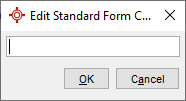
- Add a category name such as "Exception Forms" and click OK and then Close.
- Under the Standard Forms Category, double-click the Exception Form.
- Under the Category, select the dropdown and the new desired folder location.
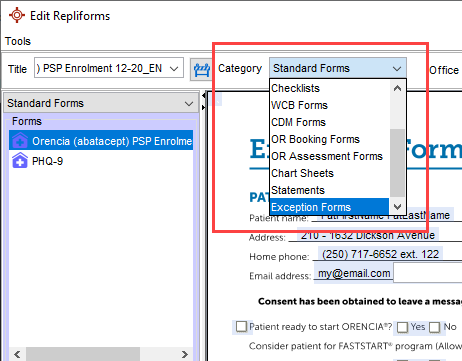
- Click the Save button
 and the Exception Form is saved to the Exception Form Category.