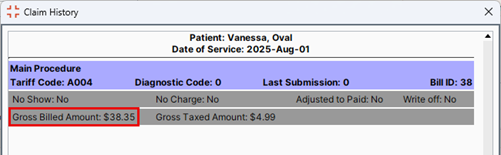
The original billed amount (known as the Gross billed amount) is tracked for reporting purposes. Gross billed amount allows users to see the original billed amount before any adjustments that may have been made. This is useful information when users want to determine how much bills have been adjusted in a given time period.
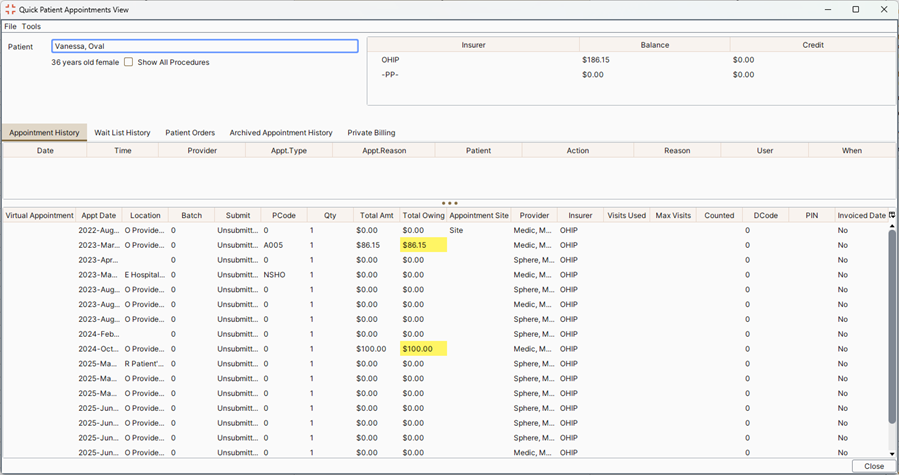
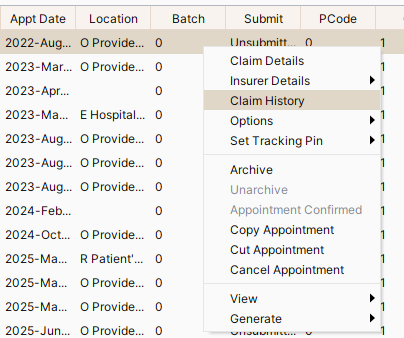
Gross billed amount can be viewed in the Claim History by right-clicking on a bill on the F4 window (Quick Patient Appointments View) and in some reports for sites that use Billing Periods.
Reports that now include the gross billed amount are:
Note: If your clinic does not have billing periods, you will not have these reports.
To View the Gross Billed Amount:
In the Claims section and A/R by Insurer double-click on any of the colored legend descriptions (at the bottom of the window) and a color selector is displayed. A different color can be selected, if required. Once OK is clicked, the new color is saved as a user preference. This updates the colors used for the rows.